They Wanted To Stay With You. Your Booking Page Sent Them Down The Road.
With Camper BMS, guests see what's free for their dates and book it on their phone in a few taps, even while you're off the clock.
No platform fees for your first 30 days*
*Excluding optional add-ons.
Where The Bookings Go Missing
Some of it you see: the 9pm phone call, the booking typed in twice. Some of it you never see: the guest who gave up and booked down the road.
Switching Shouldn't Mean A Weekend Of Data Entry
Leave forward bookings in the old system and send new ones here. Block those dates in Camper BMS, and the old system winds down as its stays finish.
-
1Before you go live
Set up while the old system is live
Add your areas and sites, set your rates, connect your payment provider and put your logo and colours on the booking page. Your current system keeps taking bookings while you do.
-
2Before you go live
Block the dates already booked
Camper BMS only knows about bookings made in Camper BMS. For each stay still in your old system, block that site for those dates so it can't be sold twice, and update the block if the booking changes. Prefer one place? Import your forward bookings from CSV instead.
-
3Before you go live
Walk through it as a guest
Open your booking page on your phone and your desktop. Pick dates, choose a site and check the availability, pricing and policies read the way you want, stopping before payment.
-
4Go live
Re-point your Book Now links
Change the link behind the Book Now button on your website, your Google Business Profile and your directory listings. New bookings come to Camper BMS from then on.
-
5After go live
Let the old system run down
Existing stays finish in the old system, so nothing gets typed in twice. Check both while they overlap, keep the records you need, and close the old account once the last stays are done and your contract allows.
Questions about your changeover?
Ask About SwitchingThe Booking You Never Knew You Lost
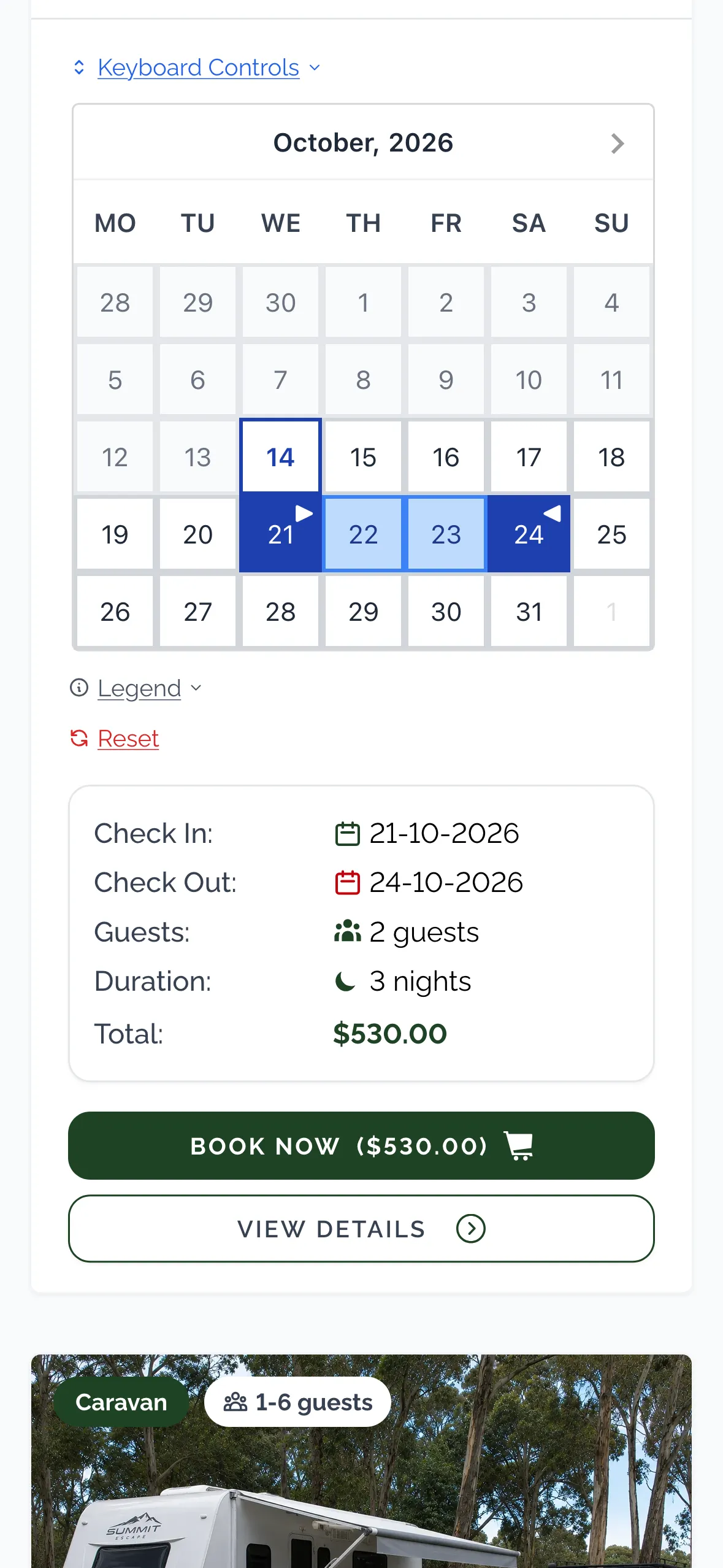
A family in a servo car park, two kids in the back, looking for somewhere to stay tonight. If your page makes them pinch, zoom and guess, they're gone. Camper BMS shows what's free for their dates, and they book and pay you from their phone.
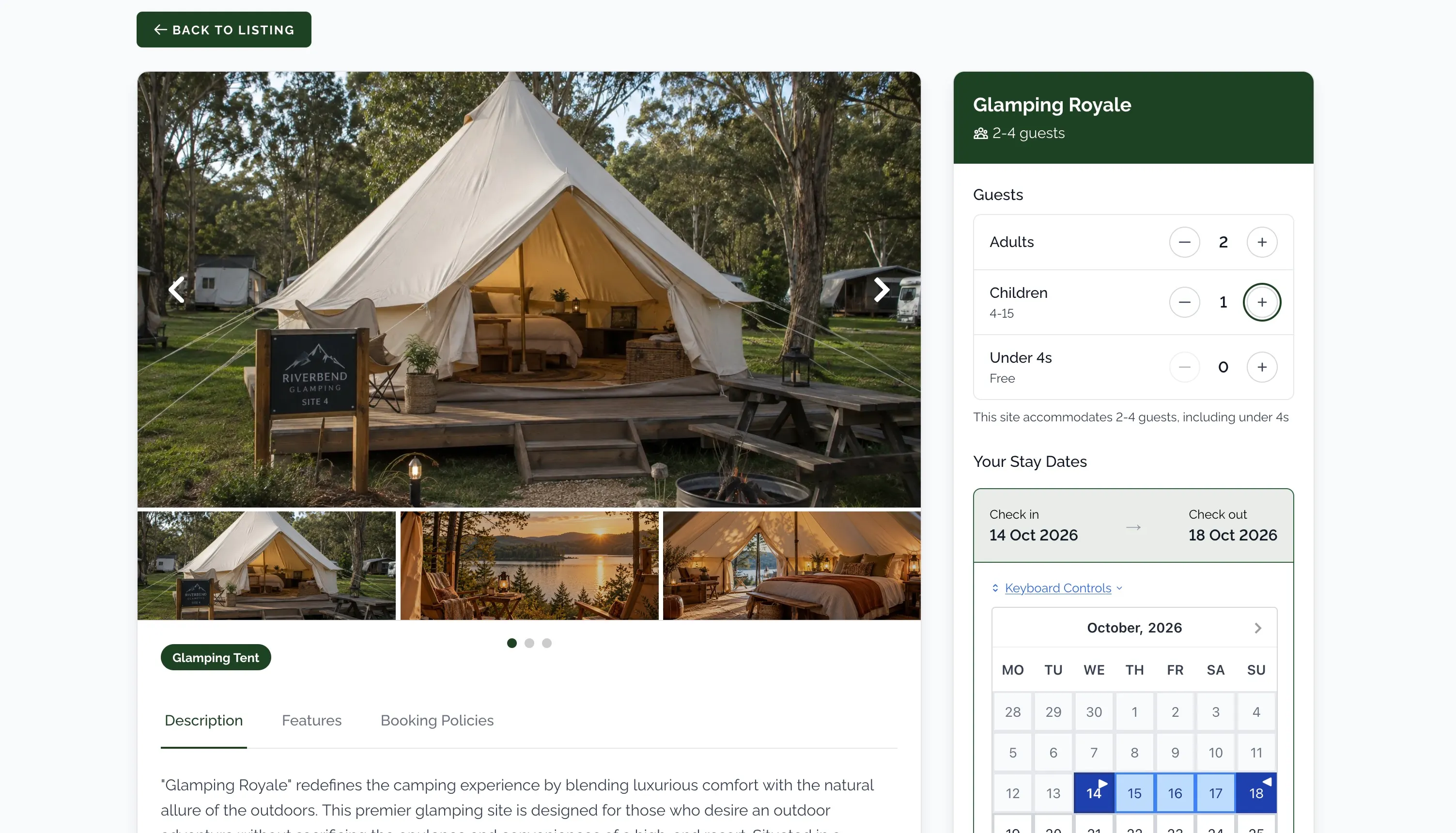
Live Availability
Only what's free for the dates they pick. No "sorry, that one's gone" emails.
Automated Guest Emails
Confirmation and pre-arrival details go out on their own. You didn't send a thing.
Mobile-Friendly Checkout
Works on the phone in the passenger seat. Apple Pay and Google Pay for parks on Square or OnlinePay.
Guest Self-Service Portal
Guests look up their booking, pay what's owing and request changes without ringing you.
Self Check-In
A link goes out the evening before. They can be checked in before they've found the office.
Your Brand
Your colours, your logo, your own subdomain. Guests see your park, start to finish.
Friday Of A Long Weekend, Under Control.
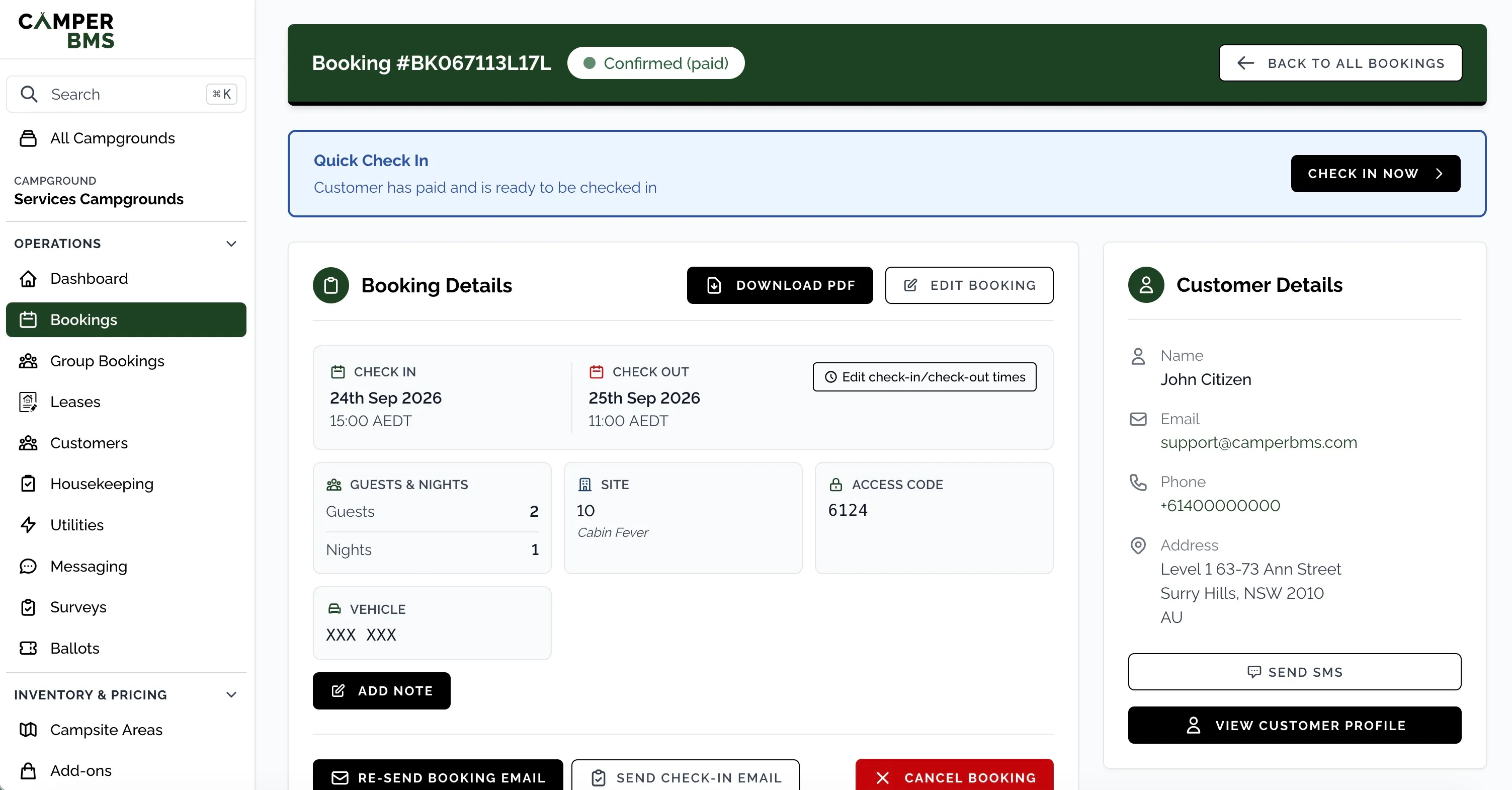
Who's arriving, who's leaving, what's free tonight and which sites still need a clean.

Check-In Dashboard
Today's arrivals and departures, the week ahead, tonight's occupancy. "What have we got free?" has an answer.
Housekeeping
Checked-out sites go on the cleaning list. Try to check someone onto a site that hasn't been cleaned and the desk gets a warning first.
Group Bookings
The footy club wants eight sites. One contact, one invoice, one confirmation, one page.
Easy Stay Extensions
"Can we stay another two nights?" is a click. The dates move; you don't rebuild the booking.
Staff Roles & Permissions
Give casuals the screens they need and keep the rest to yourself, per team member and per campground.
Know What's Working
Which ad, which post, which month. Reports, CSV exports, and Google Analytics and Facebook connections.
Tools to Sell More Nights
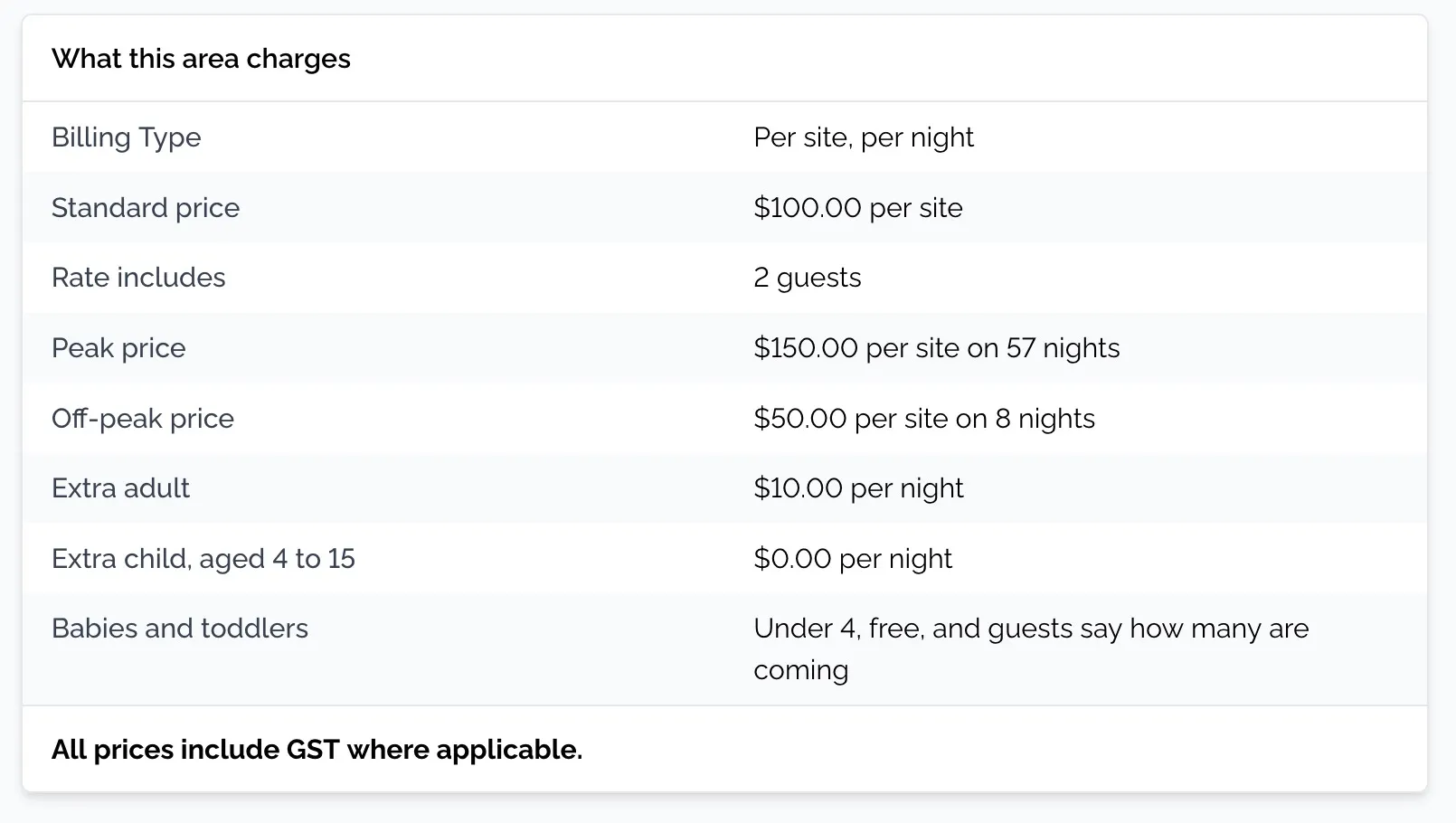
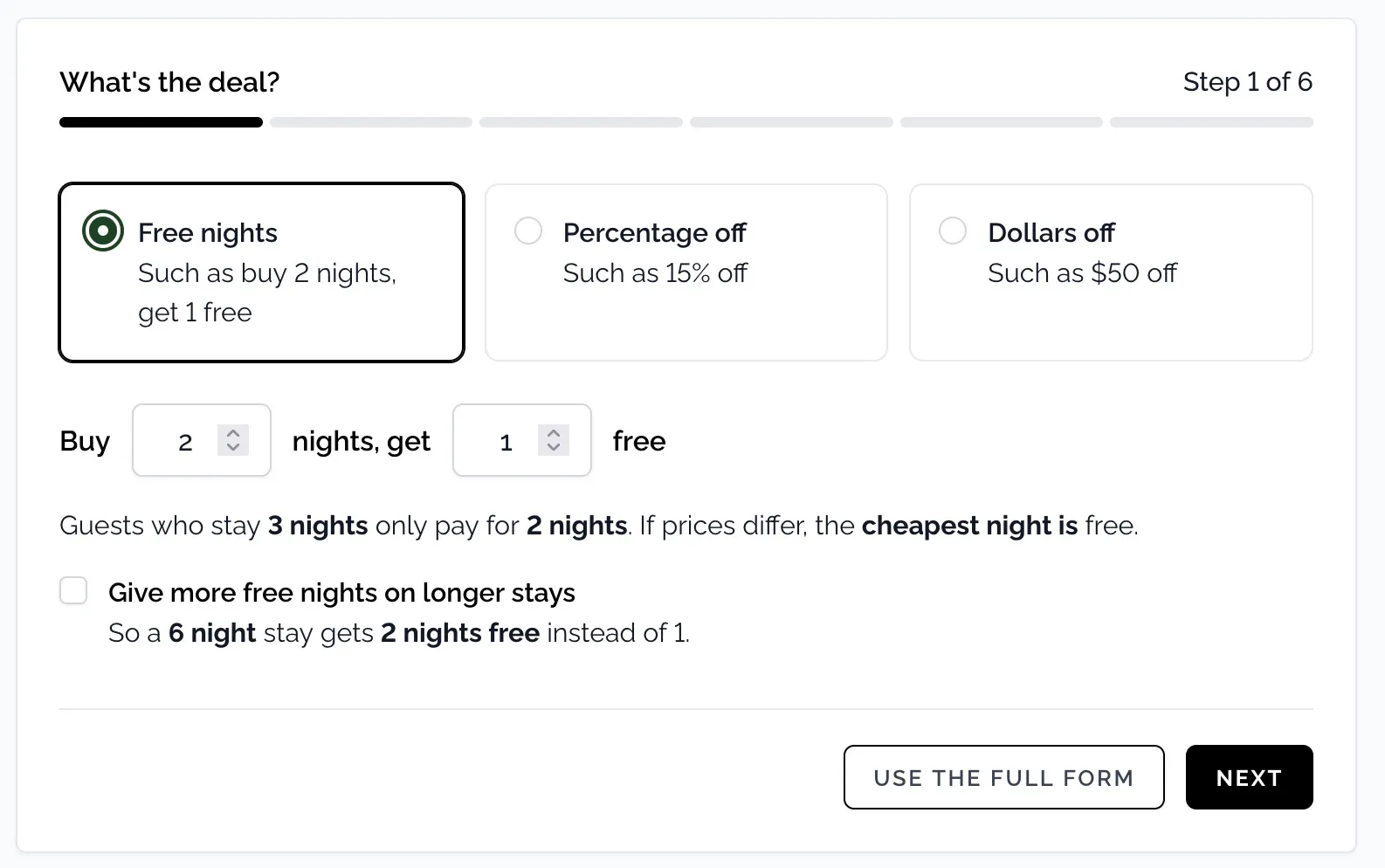
*With little booking history, automatic pricing sits at or near your lower rate. Sites with individual pricing are excluded from auto-allocation.
Pay For The Bookings You Take.
Set up your park with no platform fees for your first 30 days. After that, you pay as the bookings come in.
NO PLATFORM FEES FOR 30 DAYS
$0
for your first 30 days*
Then:
per booking
Running annuals too?
$36 per lease, per year.
*The per-booking and per-lease fees are waived for bookings and leases that become billable during your first 30 days, so you can get set up and migrate. Each site in a group booking is counted as an individual booking. A booking becomes billable once it has been confirmed for 24 hours. A booking cancelled within those 24 hours is not billed; after that the fee stands if it is later cancelled. A lease set up in those 30 days is still billed $36 for each further year it continues. The SMS Messaging and accounting add-ons are charged separately. Prices in AUD, incl GST.
No platform fees for your first 30 days*
*Excluding optional add-ons.
Connect Your Payment Provider. Get Paid Into Your Account.
Connect your own account and guests pay you at checkout, with the money settling into your account. Apple Pay and Google Pay are available at checkout on Square and OnlinePay.
-
eWay
Card payments
Cards -
Square
Card payments
CardsApple PayGoogle Pay -
OnlinePay
Card payments for Westpac, St.George, BankSA and Bank of Melbourne
CardsApple PayGoogle Pay -
ANZ Worldline
Card payments
Cards -
Pin Payments
Card payments
Cards -
GoCardless
Direct Debit for recurring lease payments
Direct Debit
Camper BMS is a booking and property management platform, not a payment processor or merchant of record. Guest payments are processed directly by your connected payment provider, and Camper BMS does not process, hold or settle guest payment transactions. We invoice you monthly in arrears via Stripe for platform fees, and fees are not deducted from guest payments.
Keep The Website You Paid For.
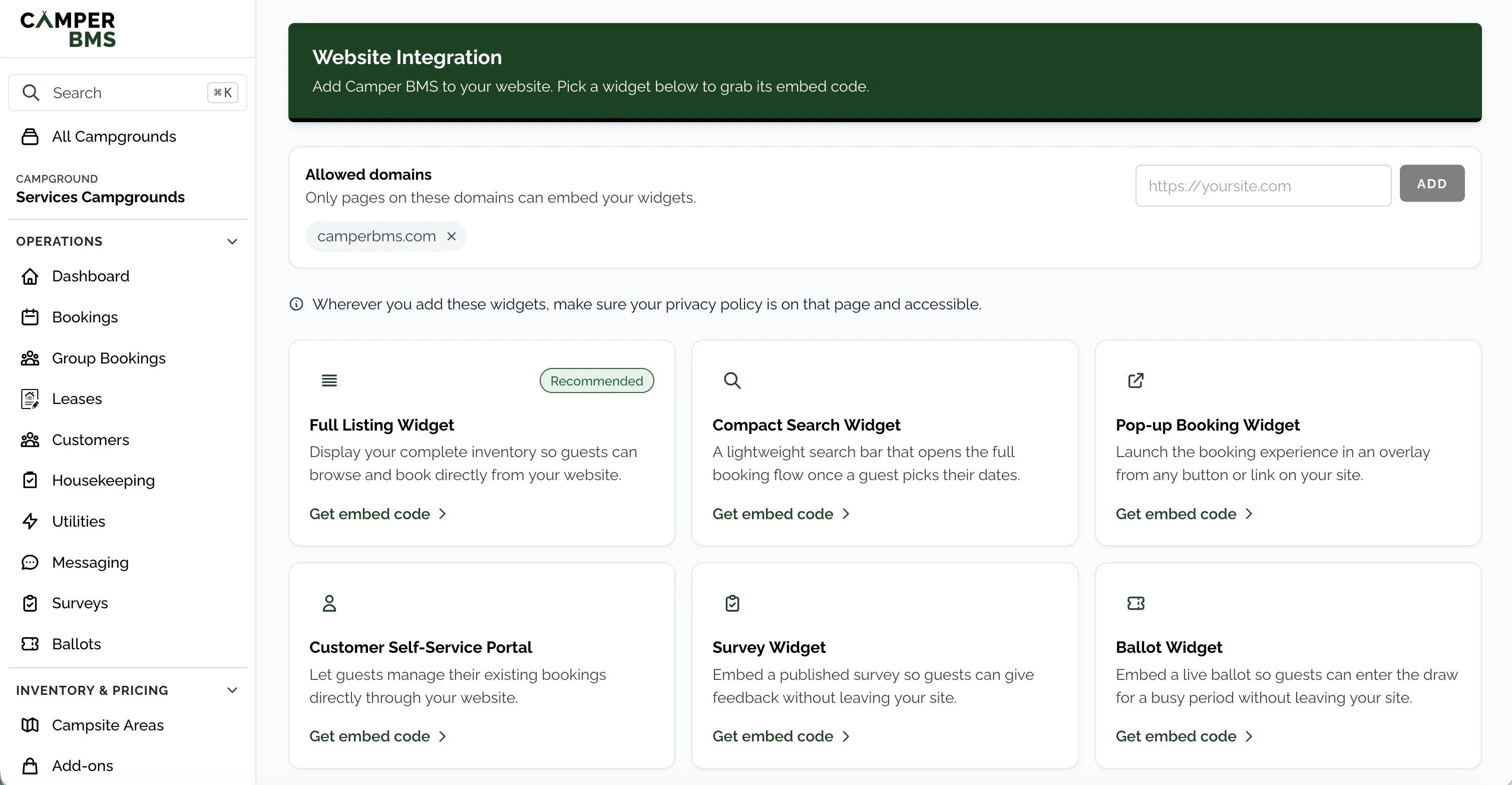
- Embedded widgets - paste a booking widget into your existing pages.
- Hosted booking page - link your Book Now button to a page on your own subdomain.
- API & webhooks - for custom builds and connecting your other tools.
- Calendar feeds (iCal) - import feeds to block dates booked on other platforms, and export your availability.*
*Calendar feeds carry availability only. Our feeds refresh every 10 minutes; how quickly other platforms pick up changes depends on their own schedules.
Quiet Months Should Cost Less.
Your busiest month can bring in many times the bookings of your quietest. A fixed software bill charges you the same for both, so the busy months end up paying for the quiet ones. With Camper BMS the fee rises and falls with your bookings, and a quiet month gets a small bill.
Illustration only, not real figures.
No platform fees for your first 30 days*
*Excluding optional add-ons.
Switching Questions
Do I have to move my existing bookings?
No. You can leave forward bookings in your current system and take new ones in Camper BMS. Block those sites for the dates they're booked so they can't be sold twice, and update the block if a booking changes. If you'd rather have everything in one place, import bookings and customers from CSV.
Can I set it up before changing my booking links?
Yes. Set up your sites, rates and payment provider and check your booking page while your current system keeps taking bookings. Guests book through Camper BMS once you change your Book Now links.
Who sets it up?
You set up your park in Camper BMS. Step-by-step guides in the Camper BMS help docs cover sites, rates and your booking page. If you have a question about your setup, or whether Camper BMS fits your park, send us a message.
Which payment providers can I use?
Camper BMS works with eWay, Square, OnlinePay (Westpac, St.George, BankSA and Bank of Melbourne), ANZ Worldline and Pin Payments, using your own provider account. For recurring lease payments, you can also collect by Direct Debit through GoCardless using your own connected account. Apple Pay and Google Pay are available at checkout for parks using Square or OnlinePay. PayPal is not supported.
What does it cost?
A flat fee of $2 per booking, plus $36 per year for each lease, billed monthly in arrears via Stripe. Your first 30 days carry no platform fees. Priced on usage, no minimums. Optional add-ons such as SMS are billed separately. See pricing for the full details.
How do bookings from other platforms fit in?
You can import calendar feeds (iCal) from other booking platforms so dates booked elsewhere are blocked in Camper BMS, and export your own availability as a feed. Feeds carry availability only, not the bookings themselves. Camper BMS feeds refresh every 10 minutes; how quickly other platforms pick up changes depends on their own schedules.
Does Camper BMS have a channel manager?
Not yet. Camper BMS does not currently include a channel manager.
The Next Guest Is On Their Phone Right Now. Let Them Book.
Australian owned and operated, with a flat fee per booking. Set up your park and book a stay the way your guests would.
No platform fees for your first 30 days*
*Excluding optional add-ons.